
Intentional Technology
Does Technology Earn Its Place?
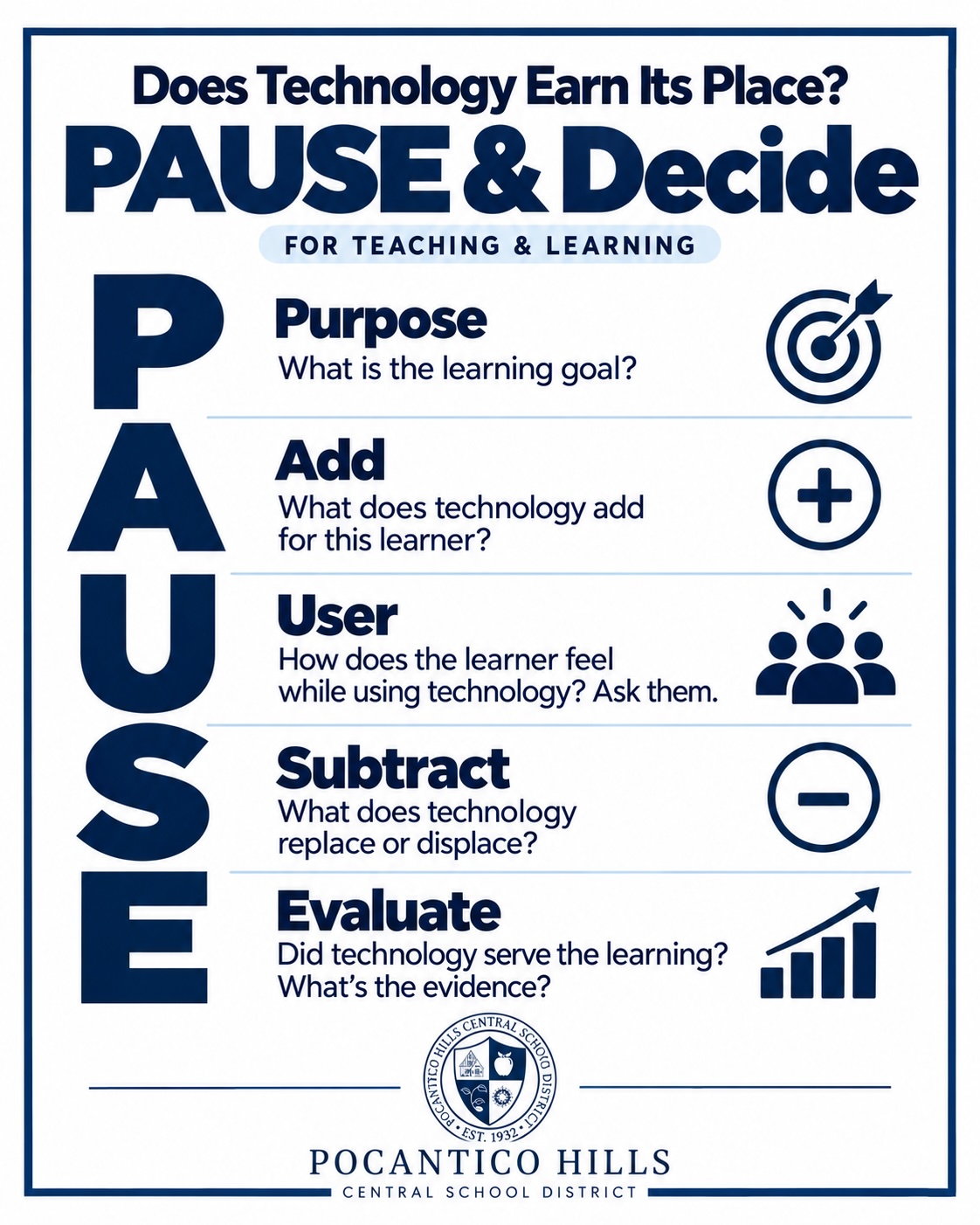
At Pocantico Hills, intentional technology brings innovation and digital wellness together. We consider when technology opens opportunities for students and when another approach would better serve them. PAUSE helps us work through those decisions: What is the learning goal? What does technology add? How does the learner feel? What does it replace or displace? Did it serve the learning? The answers may lead us to use technology, change how we use it, or choose an experience that doesn’t need a screen.
What Guides Our Decisions
-
Start with the learning. Identify what students need to learn and how we’ll recognize their understanding. Let those goals guide whether and how we use technology.
-
Look at what technology adds. Consider whether it provides access, enhances learning, or makes something possible that would be difficult to do as well without it.
-
Build strong foundations. Consider what students need to practice themselves and where support can help, taking their ages, readiness, and individual needs into account. It is vital that students understand the process of a particular concept while accessibility supports remain a priority.
-
Make room for creation and connection. Give students opportunities to apply ideas, collaborate, and create, while protecting time for conversation, movement, play, and hands-on exploration.
-
Look beyond minutes and scores. Listen to students’ explanations, examine their work, and notice how they use feedback and apply their learning.
-
Use technology thoughtfully. Set age-appropriate expectations that protect privacy and support student thinking. Help students question information, check results, and recognize when to ask for help.
-
Stay willing to adjust. Use professional learning, classroom experiences, and feedback to decide what to continue, change, or stop.
Working Together
- Adults are part of this work, too. The habits we model and the conversations we have help children understand their choices and recognize when they need support. We don’t need every answer to begin learning alongside them.
- Families see parts of a child’s experience that we may not see at school. If you have a question about a classroom tool or assignment, begin with your child’s teacher and share what you’re noticing. School and district leaders are available when a concern needs broader attention.
- As we tackle this issue together, we are first and foremost guided by the health and saftey of our students. We will continue collaborating with the board education and all stakeholders as we continue to refine our philosophy and deepen our understanding.
- Ulitmately, this is a living document which will be updated as dictated by student need and wellbeing.
- Visit our Digital Wellness page for practical resources, conversation starters, and ways to support this work at home.
-
Students in JPK-2nd grade typically keep their school-issued devices at school unless a family has identified a need to bring a device home. Students in grades 3–8 have the option to leave their school-issued devices at school and use a personal device for homework or bring their school-issued devices home.
- Option 1: Your Child Brings Their School-Issued Device Home: If you choose this route, the following practices may help maintain balance and safety:
- Devices should be used only in shared family spaces (living room, dining room), not in bedrooms.
- When schoolwork is complete, the device should be put away immediately.
- Families can create “tech stacks” during meals or family time – everyone places their devices in a shared spot to stay present and connected.
- Option 2: Your Child Keeps Their School Device at School and Uses a Home Device Only: This option is fully supported. If you prefer to use your own home device – where you can set and maintain your own parental controls – you’re welcome to do so. If you choose this:
- A home device is sufficient for all assignments, projects, and digital tools used at school.
- We can work with you to ensure the school-issued device remains in the classroom charging cabinet overnight if this is your preference.
- Your child can use only your personal device on your home network.
- All school resources can be accessed through ClassLink.
- Students can download the Microsoft Office Suite for free using their school account.
- Option 1: Your Child Brings Their School-Issued Device Home: If you choose this route, the following practices may help maintain balance and safety: